> For the complete documentation index, see [llms.txt](https://docs.fulfillmenttools.com/documentation/llms.txt). Markdown versions of documentation pages are available by appending `.md` to page URLs; this page is available as [Markdown](https://docs.fulfillmenttools.com/documentation/backoffice/network-view/orders/returns.md).
# Returns
The return view provides an overview of all returns created in the [Returns](/documentation/apps/store-operations-app/returns-beta.md) section of the Store Operations app, along with relevant information. You can also accept or reject items.
{% hint style="info" %}
If you can't see this view, it will need to be enabled in the [remote configuration](/documentation/by-pillar/store-operations/remote-configuration.md) API using the `SHOW_RETURN_SECTION` key.
{% endhint %}
When an [item return](/documentation/by-pillar/store-operations/returns.md) is created in the [Returns app](/documentation/apps/returns-app.md), it's visible as a new entry in the returns section in Backoffice.
Each entry contains information about the item that's been flagged to be returned:
* Status
* Consumer information
* Return creation date
* Return ID
* Order ID
* Returned items
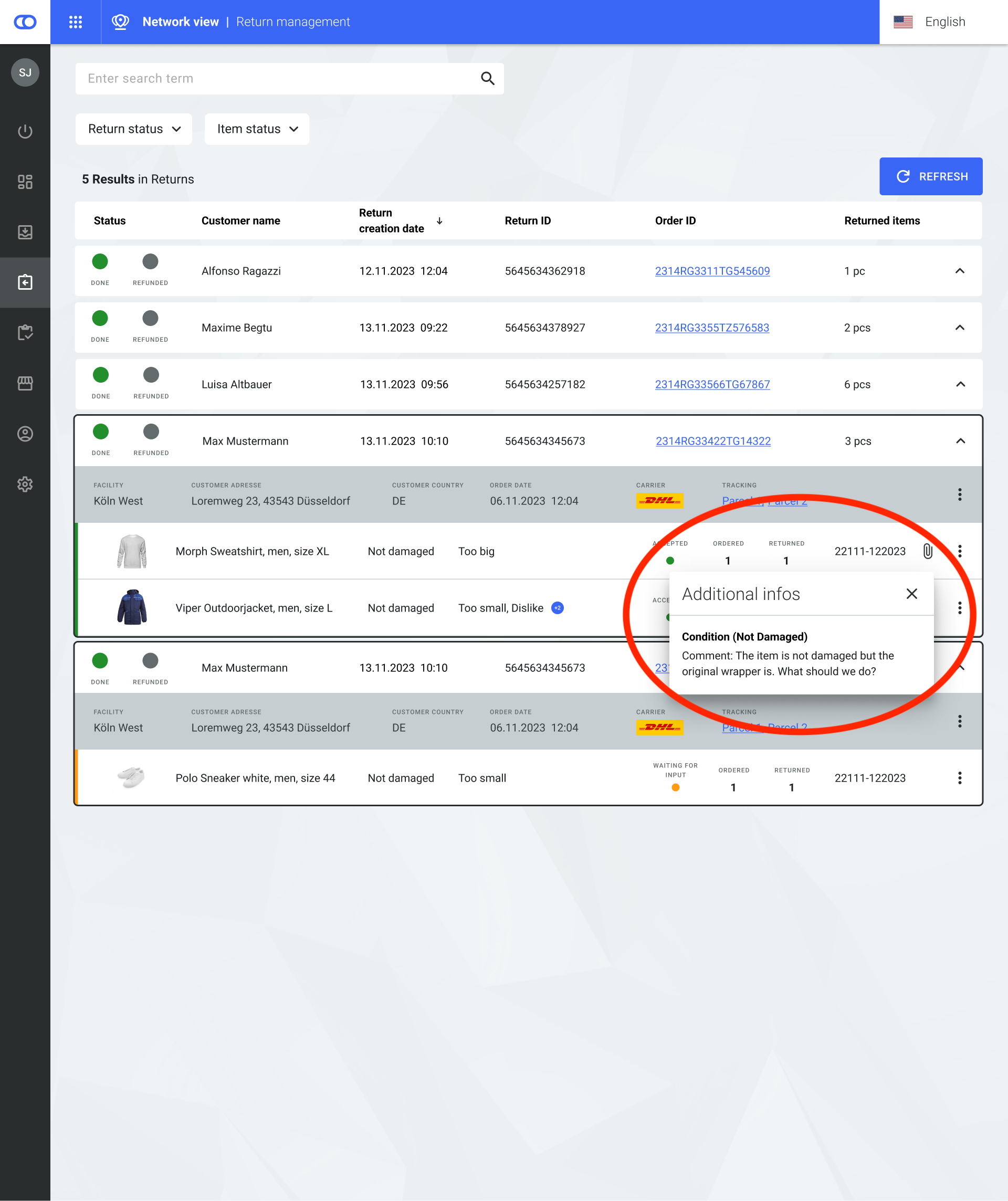
Additional information entered while creating a new `ItemReturn` (such as comments) is also displayed here. The information is shown upon hovering over the paper clip icon.
Additional information shown with a comment for an item condition
### Search and filter options
Users can use the search to find `ItemReturns` by:
* Return ID
* Order ID
* Consumer name
* Item ID
* Item title
Two filters can be used in conjunction with the search:
* Return status
* `Open`
* `In progress`
* `Paused`
* `Announced`
* `Finished`
* Item status
* `Open`
* `In progress`
* `Waiting for input`
* `Rejected`
* `Accepted`
### Available actions
#### Actions on item level
The status of each item within an `ItemReturn` can be updated.
* Items with the `Accepted` status can be changed to `Rejected`.
* Items with the `Rejected` status can be changed to `Accepted`.
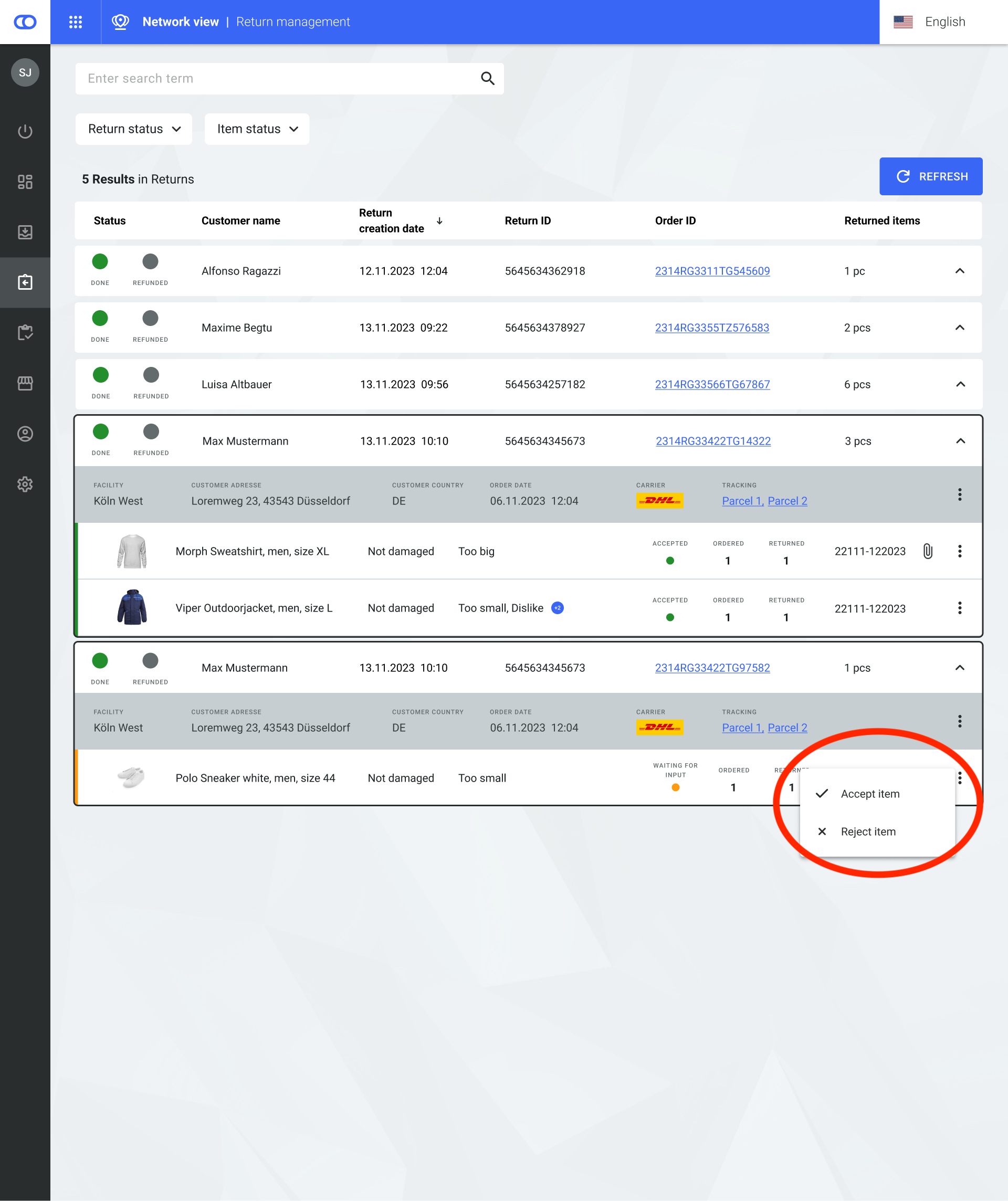
* Items with the `waiting_for_input` status can be changed to either `Accepted` or `Rejected`.
An item with the status waiting_for_input can be put into another status
#### Trigger refund
{% hint style="info" %}
fulfillmenttools isn't directly connected to any payment providers or accounting software. Therefore, triggering a refund must be managed within external systems to process the actual refund for the customer. Integration options for the refund triggers can be discussed with the fulfillmenttools team.
{% endhint %}
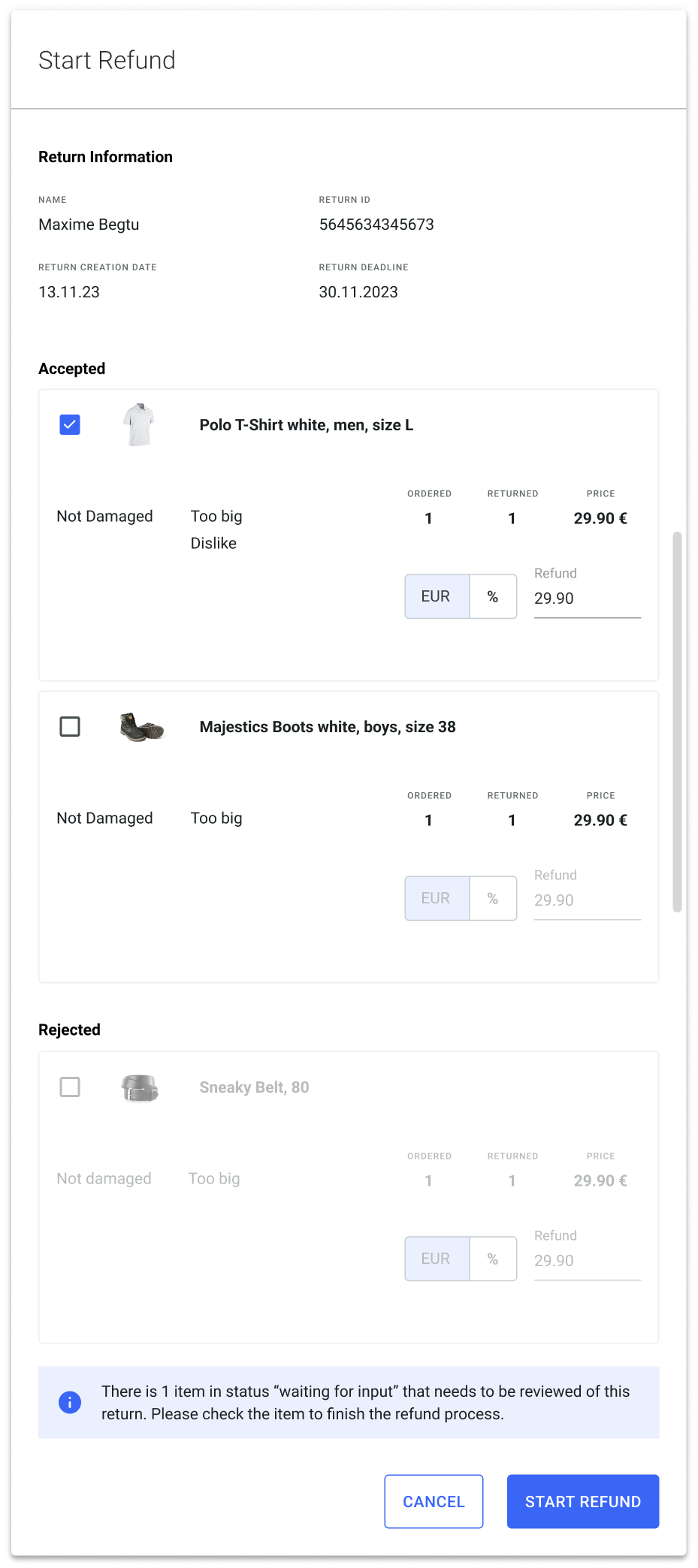
A refund can be triggered for each `ItemReturn`. Only items with the `Accepted` status can be selected for a refund. For each item, either a specific amount or a percentage can be selected for refund.
To ensure accurate refund information, changes to the refund amount or percentage are only possible when complete payment details, meaning price and currency, are available. If either of these details are missing, the accuracy of the refund information cannot be guaranteed, and consequently, no refund amount entries can be provided.
Only the price and currency provided in the order can be displayed when making a refund. If this information is not available, no refund amount or currency is shown. The price and currency information for the `ItemReturn` can be updated via API. After this is done, it is possible to enter refund information on the updated items.
The items that should be selected for refund need to be checked via the boxes. Clicking **Start refund** at the bottom of the page sends out an event, allowing the refund to be processed within external systems. Additionally, the item's status is set to `refund triggered`.
---
# Agent Instructions
This documentation is published with GitBook. GitBook is the documentation platform designed so that both humans and AI agents can read, navigate, and reason over technical content effectively. Learn more at gitbook.com.
## Querying This Documentation
If you need additional information that is not directly available in this page, you can query the documentation by asking a question.
Perform an HTTP GET request on the following URL with the `ask` and `goal` query parameters:
```
GET https://docs.fulfillmenttools.com/documentation/backoffice/network-view/orders/returns.md?ask=&goal=
```
`ask` is the immediate question: it should be specific, self-contained, and written in natural language.
`goal` is what the user is ultimately trying to achieve, the reason they need the answer. Sharing it helps GitBook give you a better, more relevant answer. A goal is most helpful when it describes the outcome the user wants rather than restating the question. For example, with `ask=how do I create an API token`, a goal like `automate deployments from our CI pipeline` lets GitBook tailor the answer to that use case.
The response will contain a direct answer to the question and relevant excerpts and sources from the documentation.
Use this mechanism when the answer is not explicitly present in the current page, you need clarification or additional context, or you want to retrieve related documentation sections.